Running gymnastics competition scoring software well isn't just about getting the numbers right. It's about controlling when those numbers become visible — to coaches, to clubs, to parents watching on their phones. Get that wrong and you get disputes, spoiled medal ceremonies, or coaches seeing results before judges have had a chance to check them.
The score visibility system in ChalkItUp has been through three releases of refinement. Here's how it works now, and why each piece matters.
The three tiers
Scores in ChalkItUp move through three visibility states. You control when each one opens, and you can release them independently:
The rankings gate
Separate from score visibility is the rankings gate. You can show coaches their gymnasts' scores without showing rank positions. So a coach sees "8.650 all-around" but not "1st place" or "3rd place". Press Release rankings on the Live tab when you're ready to reveal the order.
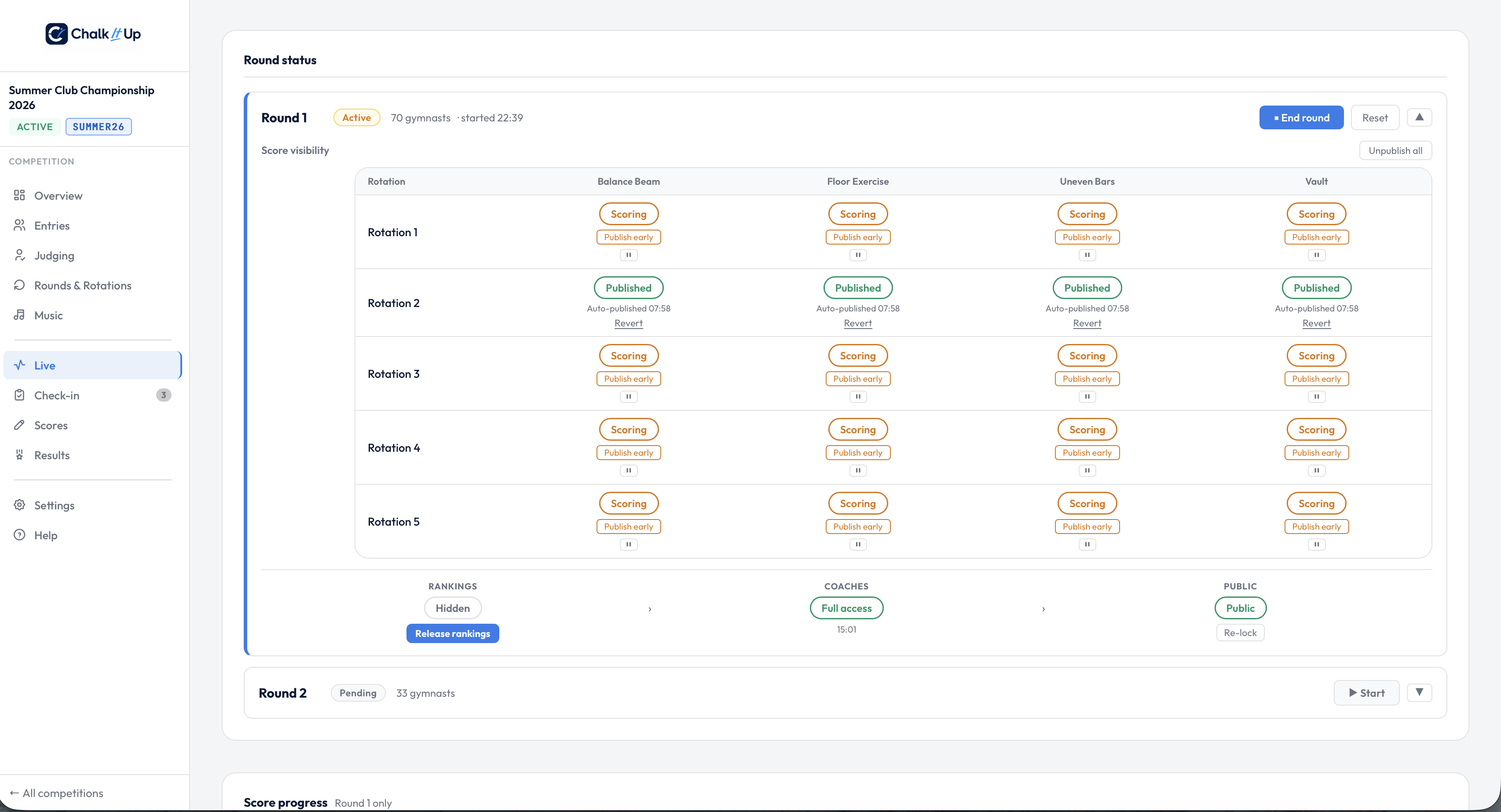
The Live tab's visibility controls — Rankings hidden, Coaches on full access, Public open.
This is particularly useful when you want clubs to check the numbers before the standings become official — catching data entry issues before they become disputes, without giving anyone the finishing order before the ceremony.
Coach PIN login
Each club gets a 4-digit PIN. Coaches open the leaderboard with the coach view URL (available from the Live tab) and enter their PIN. By default, that PIN only shows their own club's gymnasts. Once you press Show Results on the Live tab, every coach's PIN session updates to show every club's gymnasts — not just their own. This is a separate step from making the leaderboard public, so coaches can see full results before anyone else does.
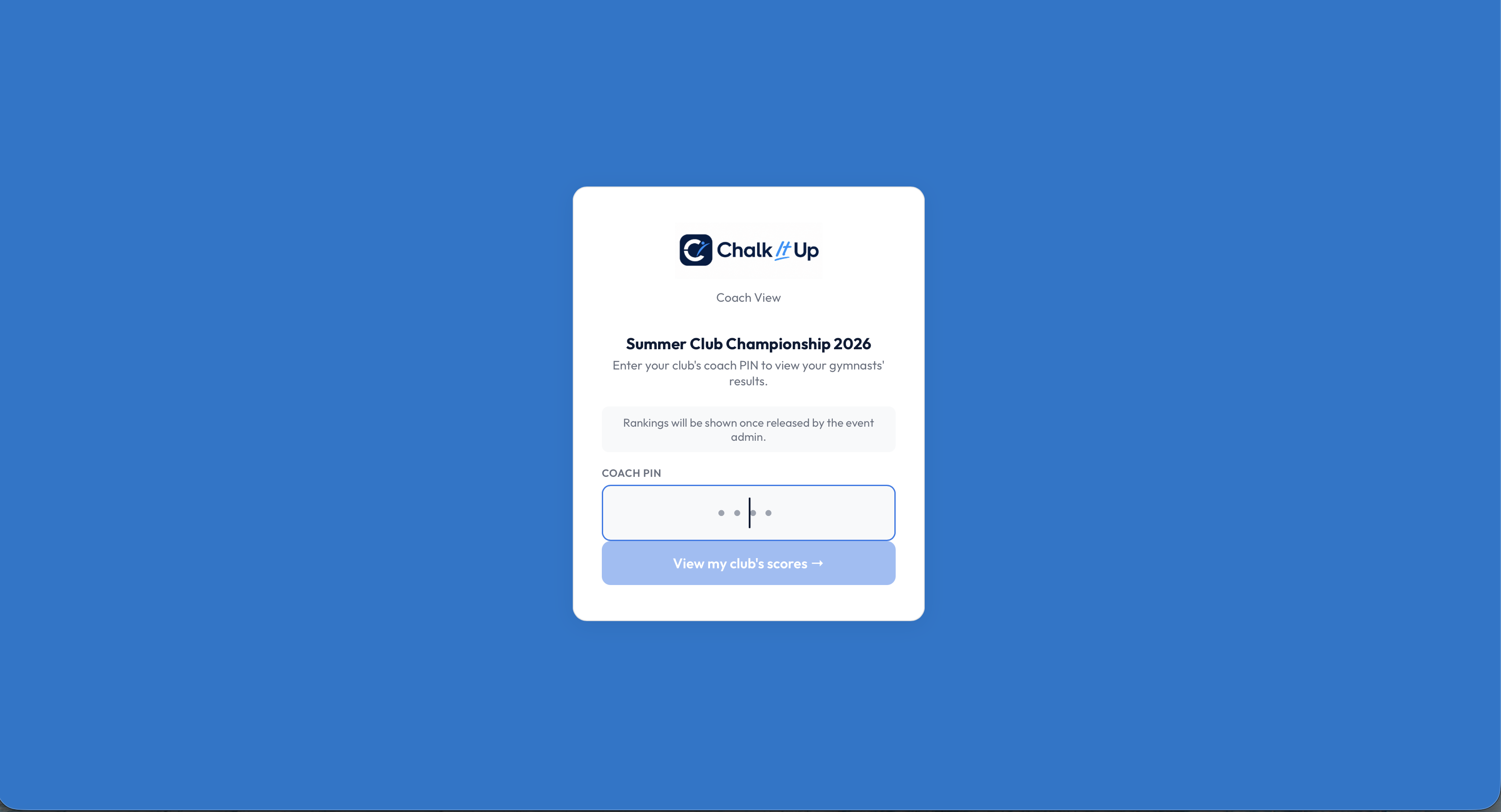
Coach PIN login — scores available before the public leaderboard opens.
The coach leaderboard updates in real time as you move through the visibility controls — no page reload needed. When you press Show Results, coaches see it immediately on whatever device they're using.
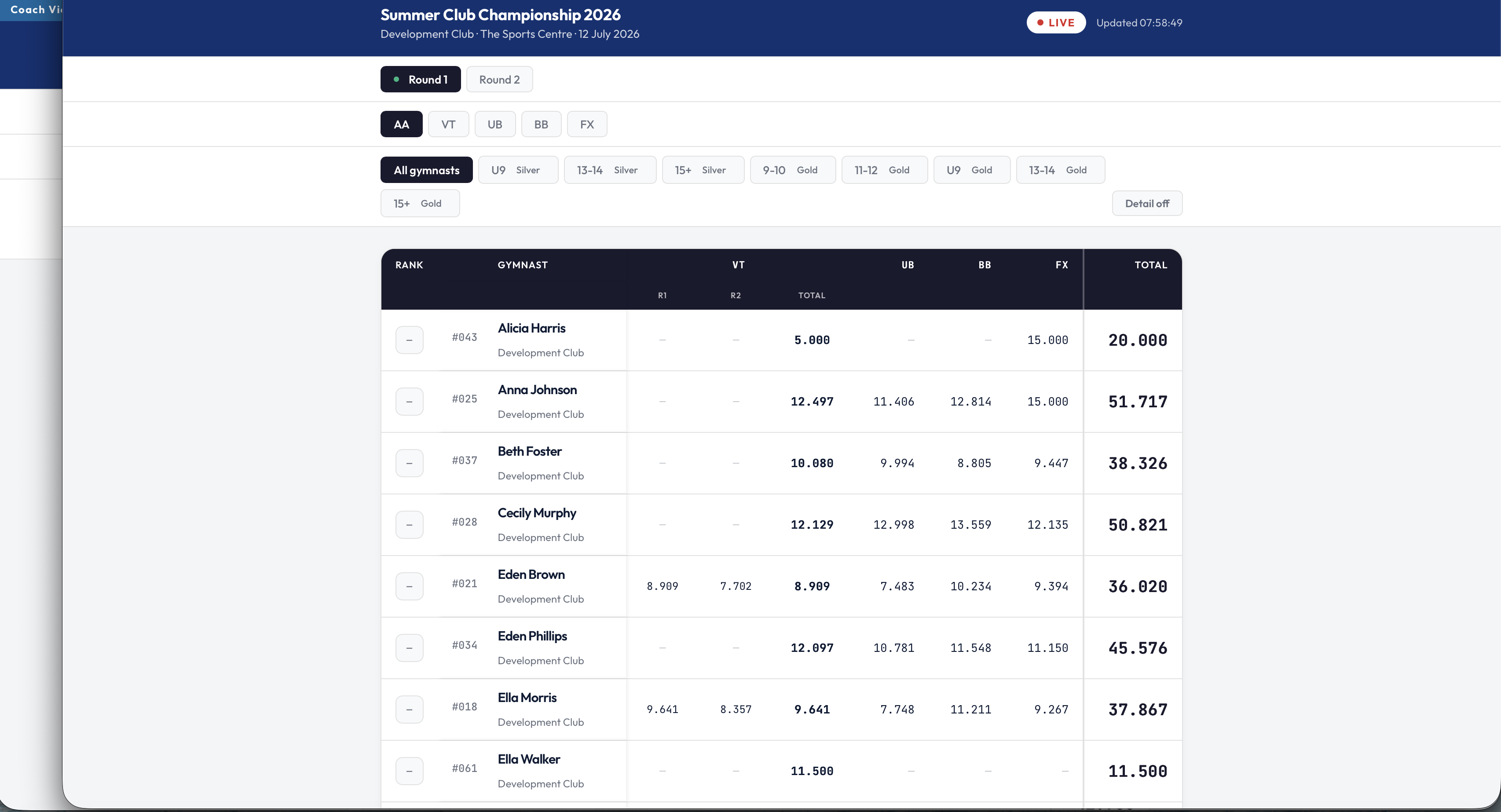
The coach view — full scores visible, rank positions withheld until Release rankings.
Practical tip: share the coach view URL with clubs when you send out the competition information pack. Coaches arrive on the day already knowing where to go — you don't need to distribute it mid-competition when things are busy.
Automatic publishing
If you don't want to manage visibility manually at all, Automatic mode is the answer. Set your publish mode to Rotation complete in the scoring settings and scores publish themselves as each rotation finishes. The leaderboard stays current throughout the competition without anyone touching the admin panel.
A Publish early override is there if you need to release scores before a rotation closes — for example, if a gymnast has withdrawn mid-session and the rotation will never fully complete.
Why this matters on the day
Competition day is chaotic. Having to remember to publish scores at the right moment, while also managing the medal ceremony, queries from clubs, and the general entropy of a gymnastics meet — it's a lot. The visibility pipeline gives you a clear, sequential set of steps that move in one direction. You press them when you're ready. Nothing appears until you choose.
For smaller, informal competitions where none of this ceremony is needed: set Immediate mode and scores appear the moment a judge submits. No admin involvement at all.
See it working in a free trial
Set up a competition, go live, and try the visibility controls end-to-end with real judges and a live leaderboard. No commitment required.
Start free trial →