Many clubs run combined competitions — men's and women's artistic gymnastics sharing a venue and a single event day. Until now, that meant a compromise: either set up two separate competitions and manage two systems, or squeeze everything into one competition and deal with blank columns, incorrect missing-score warnings, and a leaderboard that shows Pommel Horse results for gymnasts who never competed on one.
Per-level apparatus solves this. You assign the correct apparatus to each level, and ChalkItUp adjusts every part of the system to match — results, score tracking, judge warnings, and the live leaderboard.
The problem it solves
In a standard competition setup every gymnast is expected to compete on every apparatus — so when WAG levels compete on four and MAG levels on six, your missing scores view fills with hundreds of gaps that aren't actually missing, your leaderboard has empty columns for every level, and judges are seeing gymnasts they shouldn't be scoring.
Per-level apparatus removes that assumption. You define what each level is supposed to compete on, and the system works from that.
MAG and WAG together — how to set it up
The setup is straightforward. Add all apparatus for both disciplines in Settings → Apparatus, then enable Per-level apparatus in Settings → Competition Details. A grid appears with every level on one axis and every apparatus on the other. Tick the cells that apply.
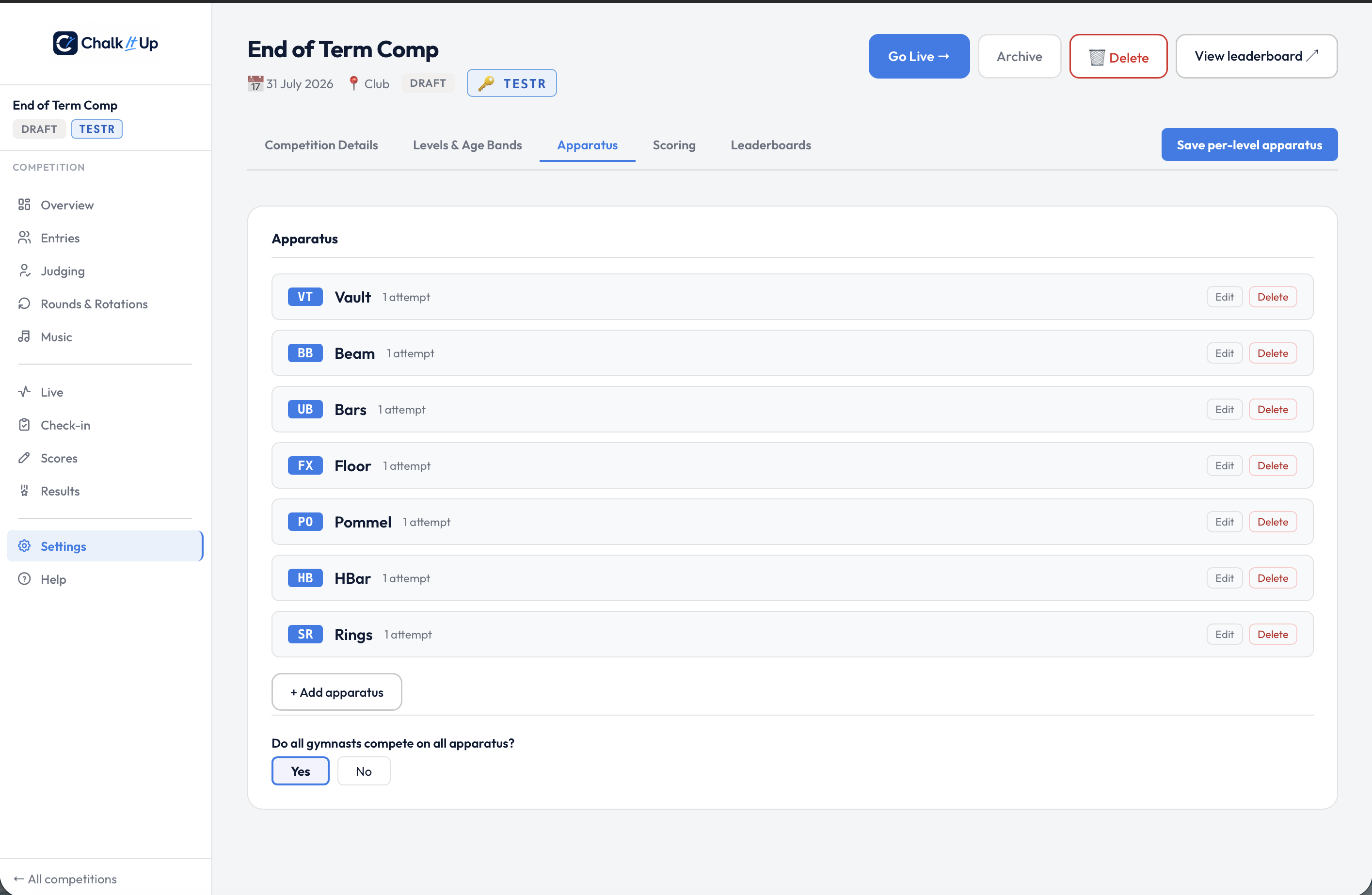
Every apparatus for both disciplines added under Settings → Apparatus.
WAG levels
Compete on four apparatus
MAG levels
Compete on six apparatus
Greenapparatus are shared between both disciplines — you only need one Vault entry and one Floor entry. Results are tracked separately by gymnast, so there's no cross-contamination.
- Go to Settings → Apparatus and add all events for both disciplines — VT, UB, BB, FX for WAG, plus PH, SR, PB, HB for MAG.
- Go to Settings → Competition Details and toggle on Per-level apparatus.
- In the grid that appears, tick the apparatus for each level. WAG levels get VT, UB, BB, FX. MAG levels get FX, PH, SR, VT, PB, HB.
- The overview checklist will confirm every level has apparatus assigned. You're done.
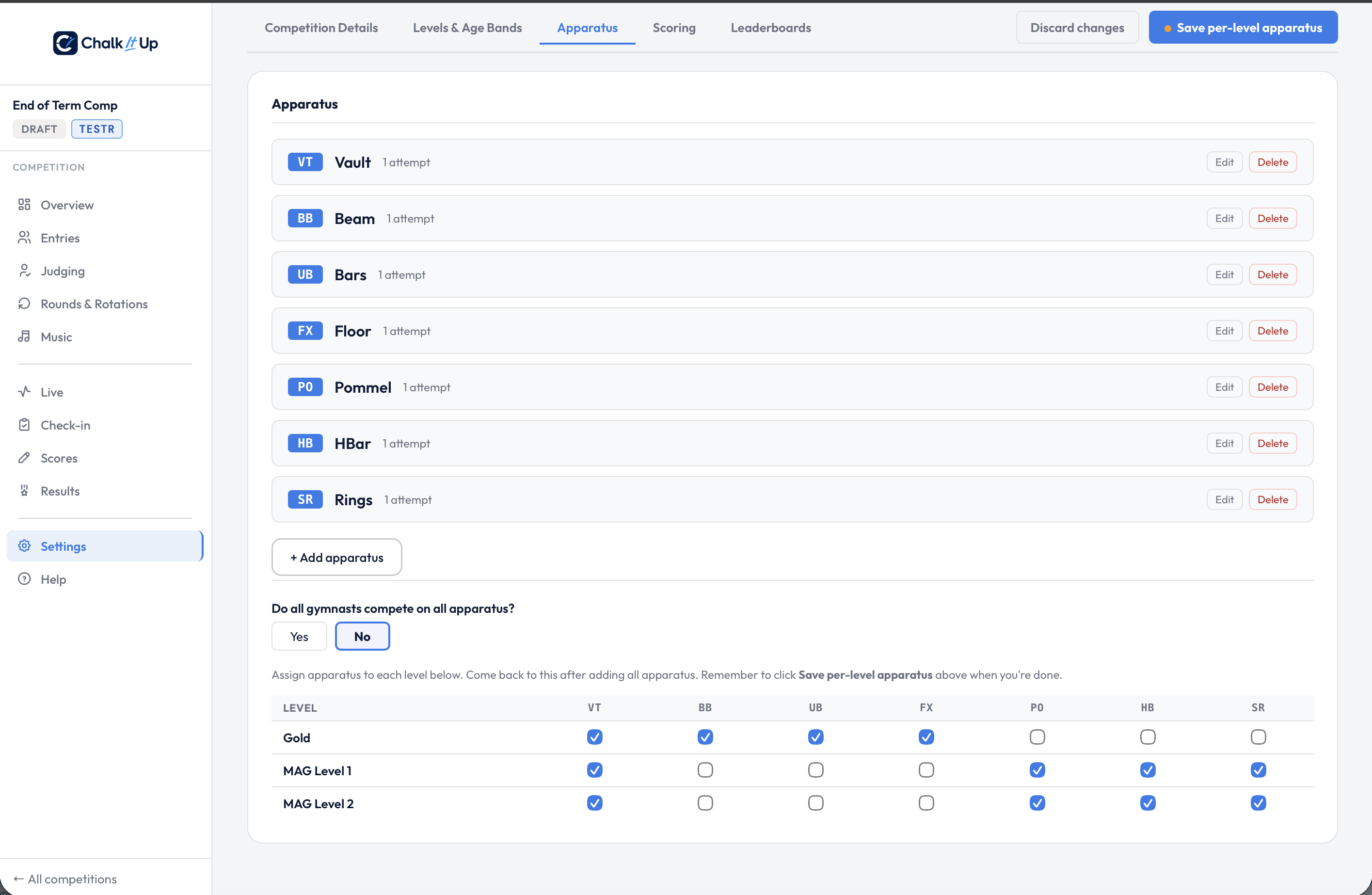
The per-level grid — Gold ticks WAG apparatus, MAG levels tick a different set, Vault shared by both.
Vault appears in both disciplines. You don't need a "WAG Vault" and a "MAG Vault" as separate entries. Assign the same Vault apparatus to both WAG and MAG levels — ChalkItUp tracks results by gymnast, so the scores never mix. Just make sure your attempt rules (one or two vaults) are set correctly in Settings → Apparatus, since they apply to the apparatus for all levels.
Mixed discipline within a single club competition
Per-level apparatus isn't only for MAG and WAG. It handles any situation where different groups within the same event compete on different things.
A common example: a club competition where one level competes Tumble and another competes Floor. These are distinct apparatus — different judging, different skills, different panels — but they're run as a single event on the same day. Without per-level apparatus, you'd need two competitions to avoid the scoring system expecting every gymnast to have scores on both.
With per-level apparatus, you add both Tumble and Floor as apparatus, assign each to the appropriate levels, and the system treats them as separate events for separate groups — while keeping all results in one competition, one leaderboard, and one export.
The same logic applies to beginner grades that only compete two or three apparatus while senior grades do all six. Per-level apparatus means your missing scores view only flags genuinely missing scores, and your results pages never show blank columns.
What adjusts automatically
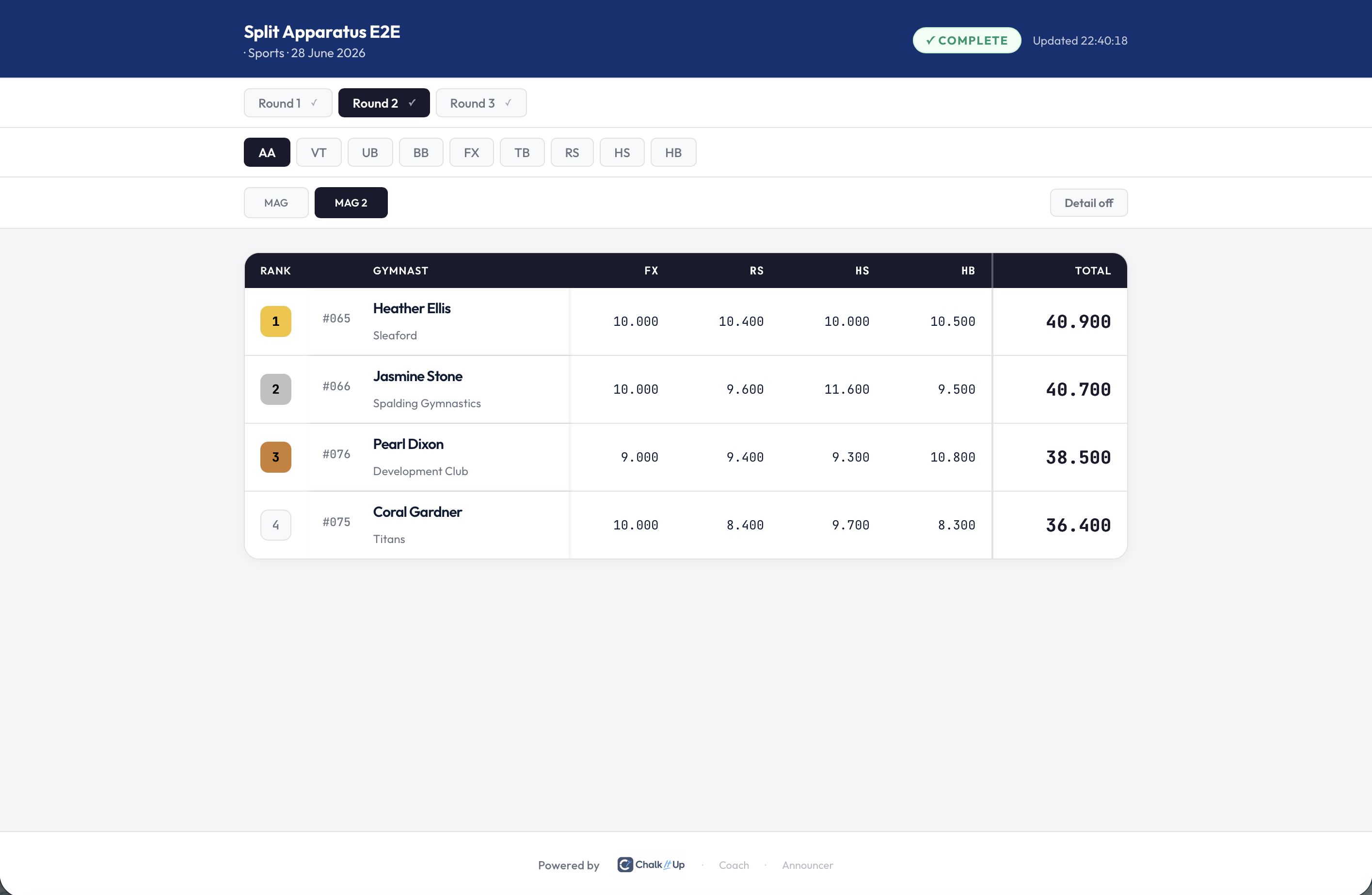
The leaderboard for a MAG 2-only view — only that level's assigned apparatus columns appear.
A note on scoring integrity
Per-level apparatus is an organisational tool — it controls what the system expects, not what it allows. If a score does come in for a gymnast on an apparatus outside their level's assignment, the system logs it and includes it in their all-around total. It won't silently disappear. The integrity check on the Live tab flags it so you can review before publishing, and you can delete it from the Scores tab if it was a genuine error.
This design is intentional. Competitions are live environments and exceptions happen — a gymnast substituting for someone, a programme change made on the day. Per-level apparatus keeps the system informed without making it inflexible.
Running a combined MAG and WAG competition this season?
Per-level apparatus is available on all paid plans. Set up your event in ChalkItUp and assign apparatus to each level before the day — it takes about two minutes and saves a lot of explaining on the morning.
Start free trial →